Cross-Chain Bridging on KeeperHub: How We Integrated Chainlink CCIP
Original publication: https://keeperhub.com/blog/010-ccip-integration
We recently rolled out native cross-chain bridging on KeeperHub, powered by Chainlink’s Cross-Chain Interoperability Protocol (CCIP). It lets any workflow move tokens between chains as a simple set of steps, the same way it might transfer funds or call a contract.
The Problem
KeeperHub is a workflow automation platform. Organizations use it to build and run Web3 workflows that transfer tokens, call smart contracts, approve allowances, and increasingly, coordinate activity across more than one chain. The question was: how do funds get from one chain to another inside a workflow?
The straightforward answer was to support CCIP, which is the closest thing to an industry-standard cross-chain messaging protocol right now. But there was a harder, quieter question behind it: how do we expose CCIP in a way that does not push the difficulty of integrating with it onto our users?
Writing against CCIP directly is not forgiving. The protocol is built for software engineers with Solidity experience, and the shape of the call it expects shows it. Which is why we abstracted CCIP into eight easy-to-use Protocol Nodes.
Protocol Nodes
At KeeperHub we want to stop treating keepers as procedural scripts and start treating them as composable graphs. Protocol Nodes are how we do that: each node wraps a single primitive of an external protocol, exposes only the inputs that matter at that step, and slots into a workflow alongside every other KeeperHub node.
Every input field carries an info icon. Hover for a short explanation; click it and you land directly in the relevant section of Chainlink’s CCIP documentation. For more technical folks field labels include Solidity type annotations uint64, address, and bytes so the shape of the call stays visible as you build. Tuple inputs like token amounts render as a structured add-and-remove builder. Advanced parameters such as data, extraArgs, and gas limits live in a collapsible Advanced section with sensible defaults, which keeps the common path short without hiding the levers you need for anything non-default.
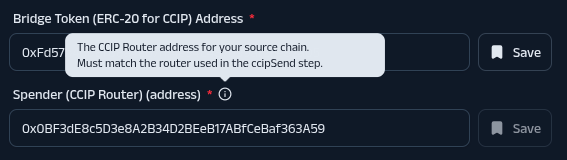
The node validates inputs against the underlying CCIP ABI, so addresses, unsigned integers, byte widths, and tuple shapes are all checked at form time rather than surfacing as a cryptic revert from the router later.
The integration ships eight CCIP Protocol Nodes, covering the end-to-end bridge flow:
- Check Fee Token Balance: confirms you hold enough of the fee token, either LINK or native gas, to cover the CCIP fee before attempting to send
- Check Bridge Token Balance: confirms you hold enough of the asset you are bridging
- Check Fee Token Allowance: confirms you’ve given fee token allowance to CCIP Router
- Check Bridge Token Allowance: confirms you’ve given bridge token allowance to CCIP Router
- Approve Fee Token: sets the router’s allowance for the fee token
- Approve Bridge Token: sets the router’s allowance for the asset being bridged
- Get Fee: quotes the exact fee for a given destination and message, so downstream approval and send steps use a real number rather than an estimate
- CCIP Send: sends the bridge transaction
Eight nodes, one complete bridge. Simple and intentional.
A typical workflow chains them in order: check the two balances, quote the fee, approve both tokens, then send. And because each one is just another workflow step, they compose with everything else in KeeperHub. A workflow can condition the bridge on an oracle price, fan out to multiple destination chains, retry on a specific failure, or chain directly into a downstream contract call on the arrival side.
What This Means for KeeperHub Users
For anyone building on KeeperHub, cross-chain movement is now just another part of the workflow vocabulary. A liquidity rebalancer on one chain can push surplus to another. A payment workflow can settle on whichever chain the recipient prefers. An agent managing a multi-chain treasury can route capital between venues without leaving the workflow graph.
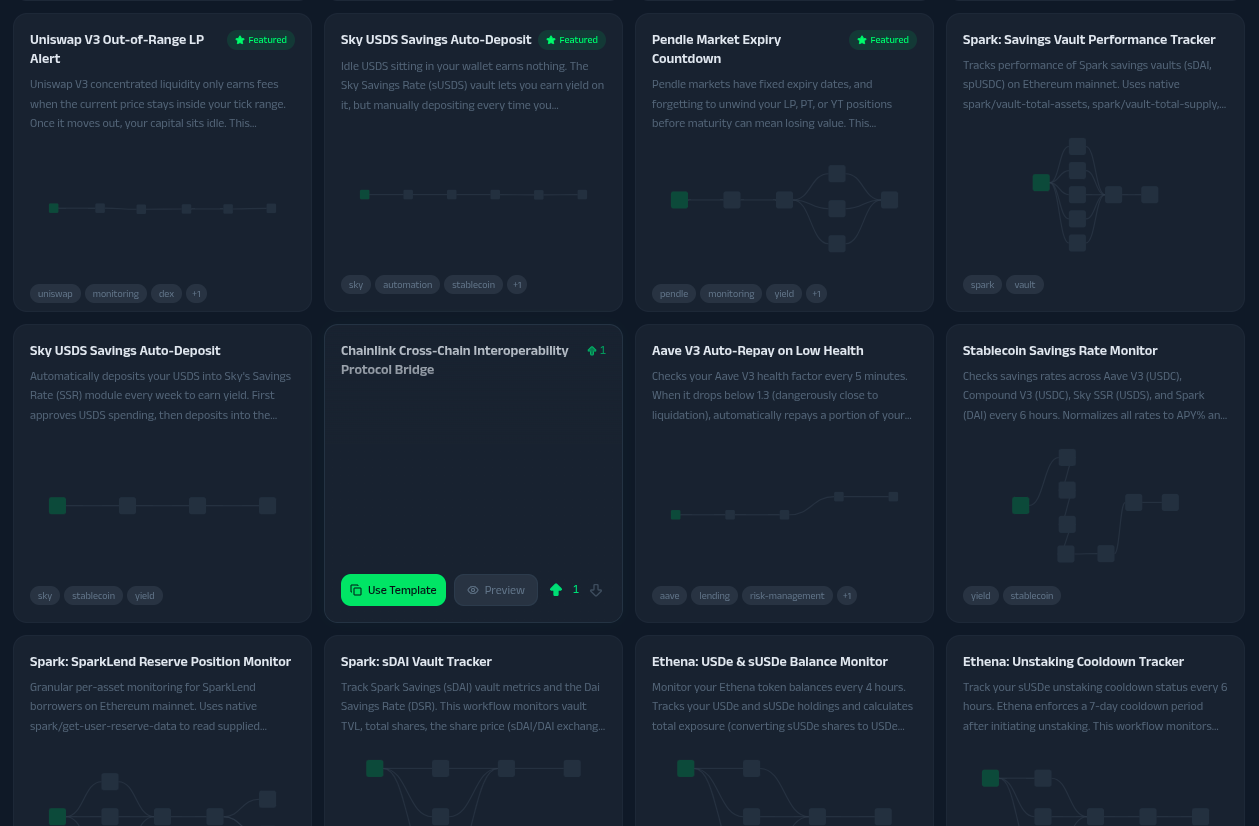
A public workflow demonstrating a bridge from Ethereum to Base is live here: app.keeperhub.com/workflows/k8no2kt6krs17sd6qelo8 Otherwise you can see it on the community’s hub page: https://app.keeperhub.com/hub
You can open it, step through the nodes, and see the full flow end-to-end. Fork it, change the chain selector and the token, and the same eight-node graph bridges between any CCIP-supported pair.
Supported chains at launch are Ethereum, Tempo, Base, BNB Smart Chain, Avalanche, Arbitrum, and Polygon.
Looking Forward
The eight Protocol Nodes are the foundation, but they are not the final stage. We are also planning a single KeeperHub CCIP Bridge Node that sits on top of the primitives and abstracts away the fee token management: no separate approval for LINK, no manual Get Fee wiring, no pre-flight checks on the fee side. You point it at a destination chain, pick the asset and amount, and it handles the fee plumbing underneath. The goal is to collapse the common case to a single node so workflows can focus on what matters, while leaving the discrete nodes available for anyone who needs to control each step.
If you have questions about how cross-chain workflows work on KeeperHub, reach out. We are happy to dig into the details.